

Example App
Before we dive in, here’s an open-source example app showing Dub’s embedded referral dashboard in action: acme.dub.shDub embedded referral dashboard demo app
View the source code for acme.dub.sh on GitHub.
Step 1: Generate embed token
First, you need to create a server API route that generates a public token, which will be used by the embedded referral dashboard to fetch real-time conversions and earnings data from the client-side.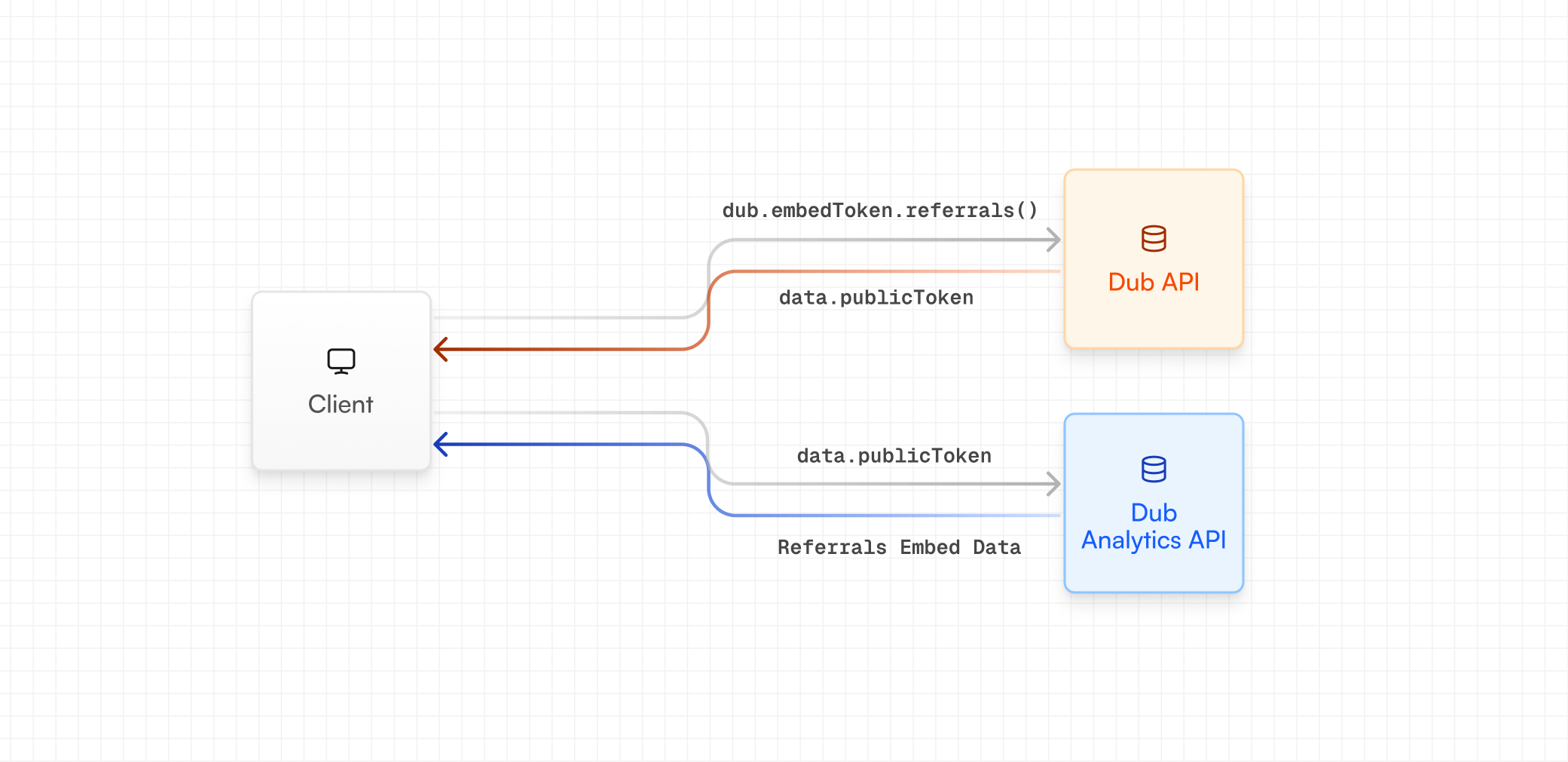
Using server-side SDKs
If you’re using our server-side SDKs, you can generate an embed token using thedub.embedTokens.referrals method.
Using REST API
If you’re not using our server-side SDKs, you can generate an embed token using our REST API instead (via thePOST /tokens/embed/referrals endpoint).
JavaScript
POST /tokens/embed/referrals endpoint.
Step 2: Install the embed
Then, with thepublicToken from Step 1, you can install and initialize the embedded referral dashboard. There are two ways to do this:
React component
First, install the NPM package:Iframe embed
Alternatively, if you’re not using React (or you’re not on Reactv18.2.0 or higher), you can add the iframe directly to your HTML:
Embed options
The embedded referral dashboard supports the following options for styling and behavior:referrals | analytics
required
The type of embed to use. In this case, we’re using the
referrals type.light | dark | system
default:"light"
The theme of the embed.
JSON-stringified object
Available options:
backgroundColor: The background color of the embed.